
Account Deletion
You can delete your KT's Closet account at any time.

How to delete your account
Follow these simple steps in the KT's Closet app.
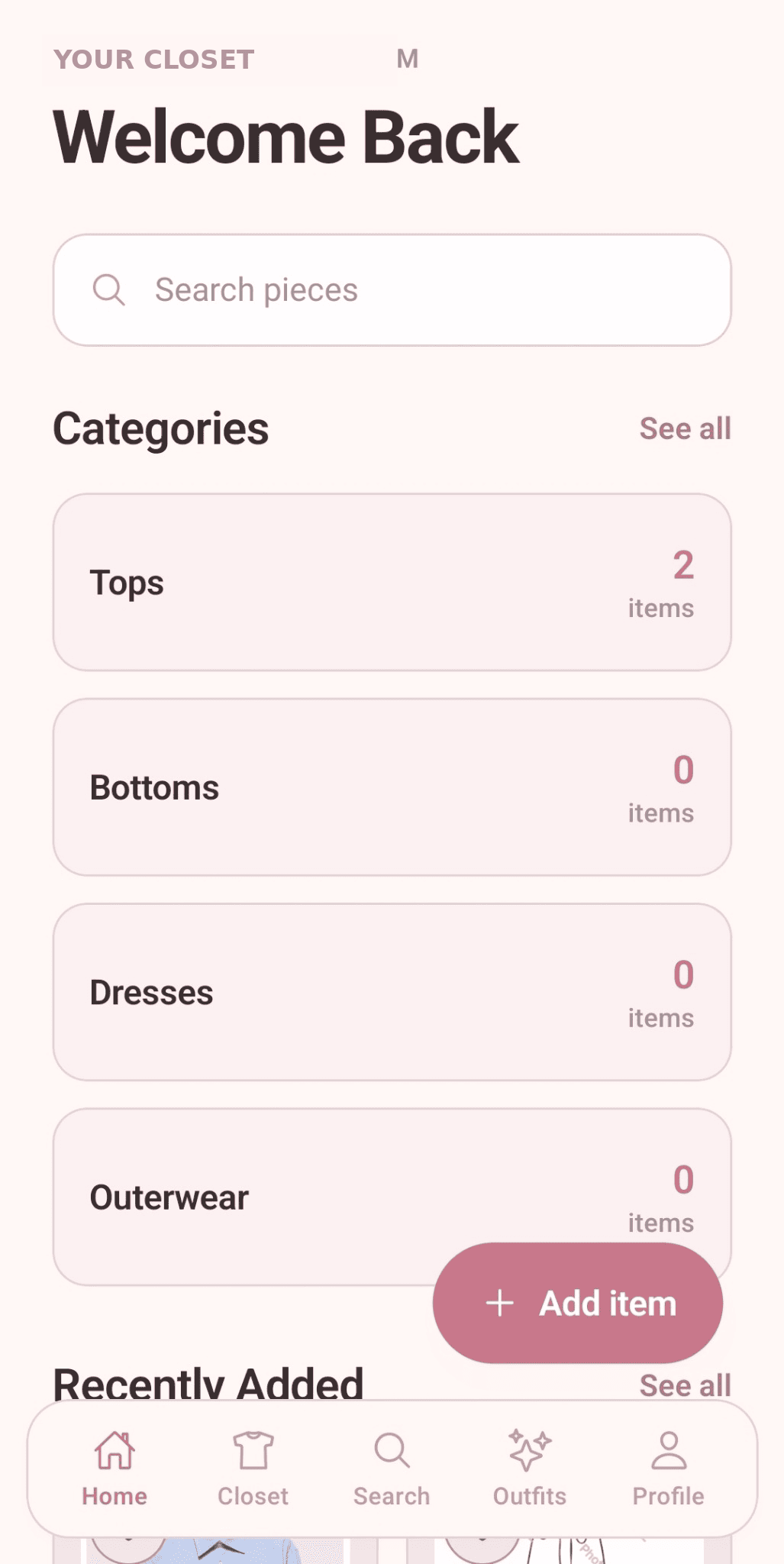
Open the KT's Closet app
Make sure you're signed in to the account you want to delete.
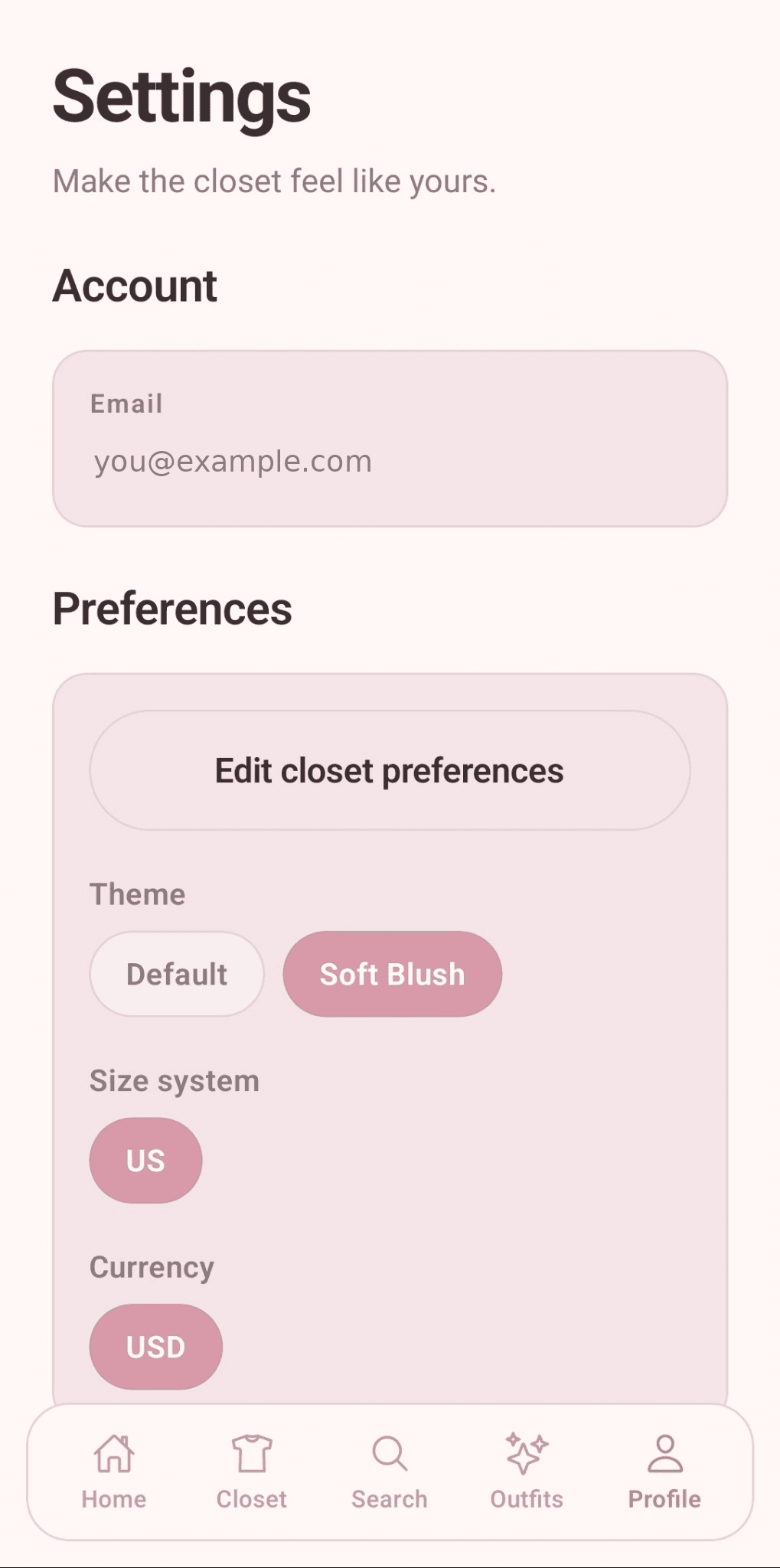
Go to Settings
Tap Profile, then open Settings.
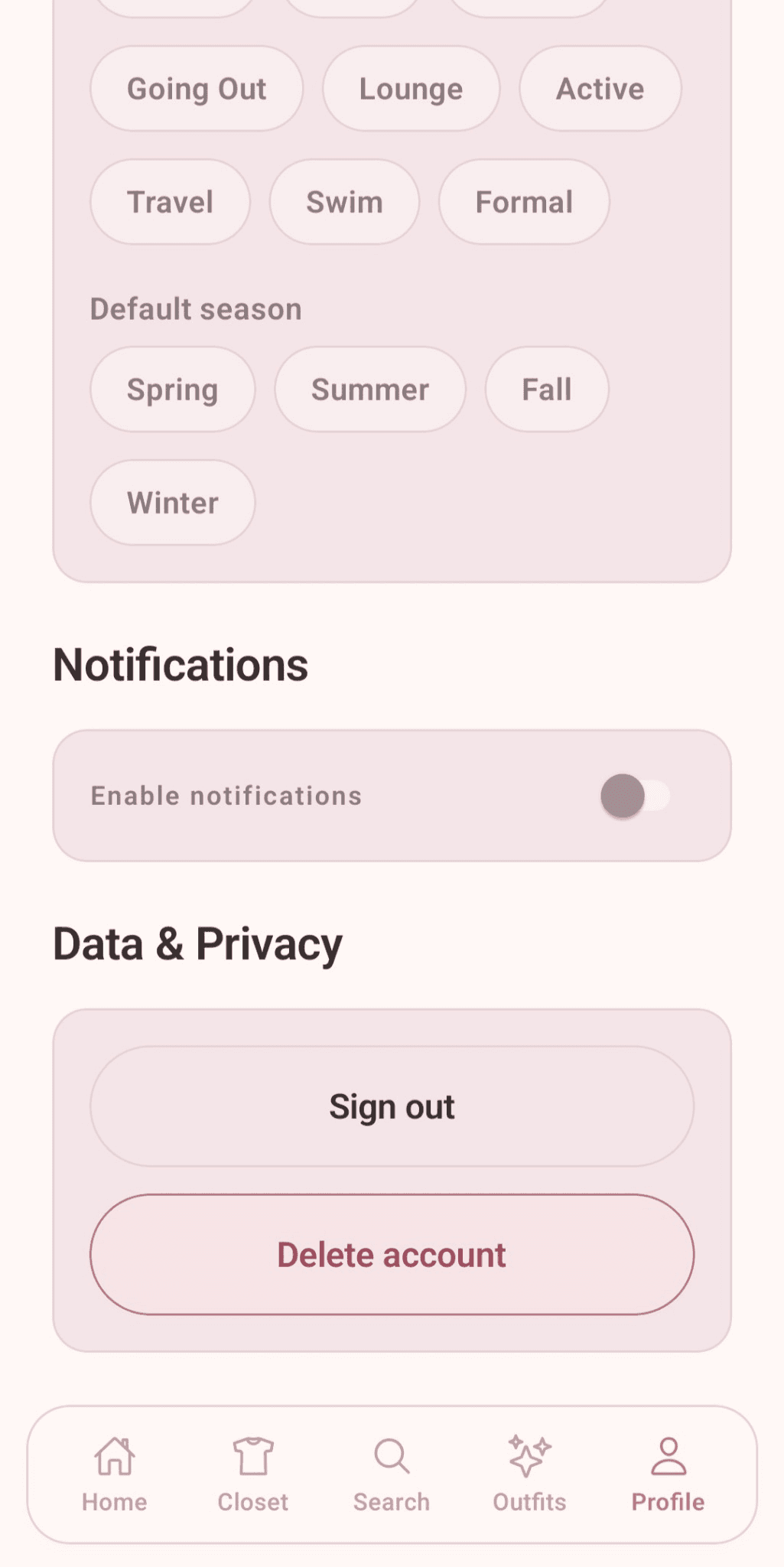
Find Data & Privacy
Scroll to the Data & Privacy section and choose Delete account.
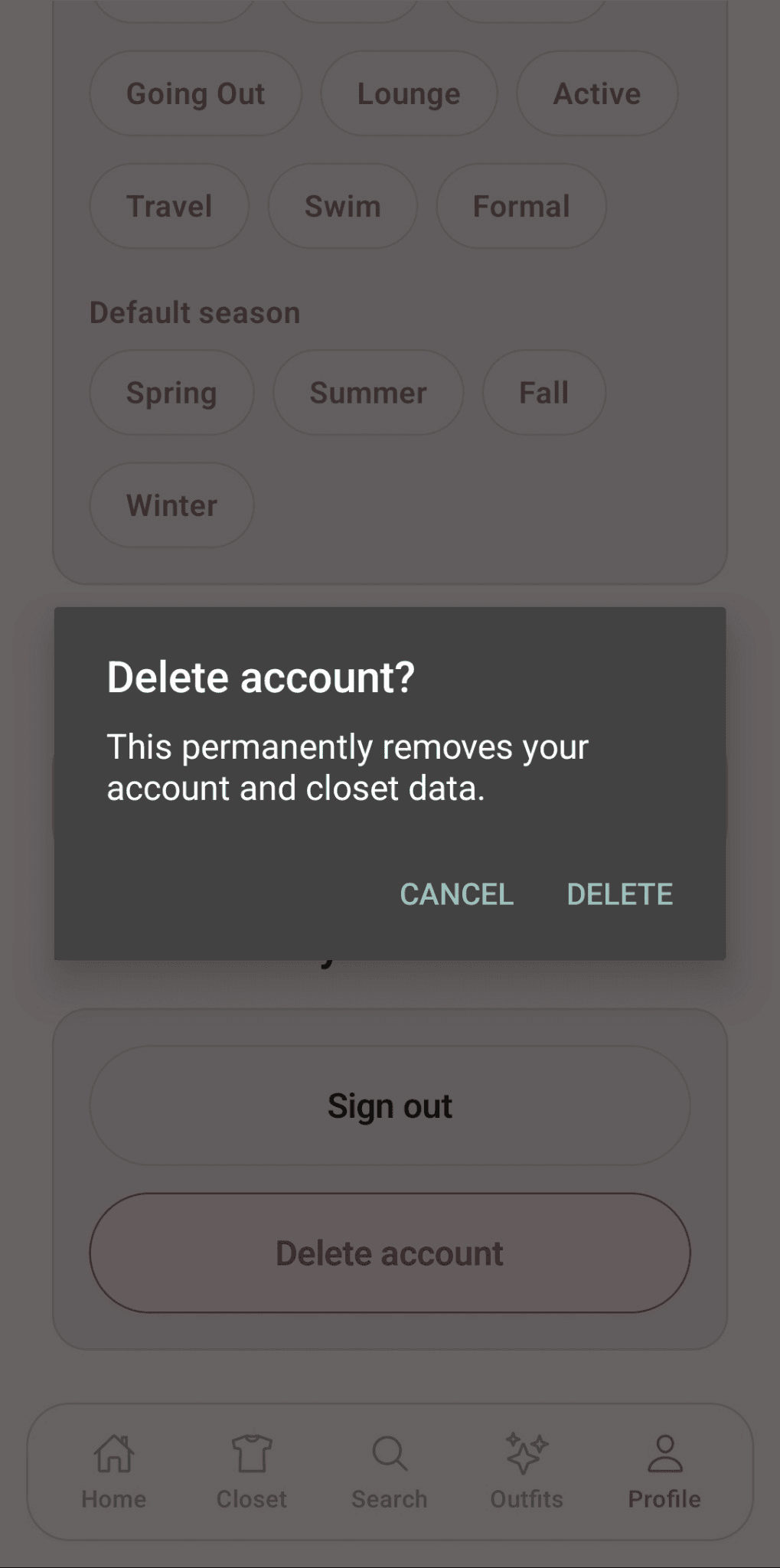
Confirm deletion
Review the warning, then confirm that you want to delete your account.
What happens when you delete your account?
Your account data will be permanently removed.
This includes your profile information and preferences.
Your closet items will be deleted.
All clothing items you added will be permanently removed.
Your saved outfits will be deleted.
All outfits you created and saved will be permanently removed.
Your data cannot be recovered.
Once deleted, your data is permanently removed from our systems.
Need help?
If you have questions or need assistance, we're here for you.
Email Support
support@ktscloset.com
In-App Support
Go to Support in the app
Response Time
We typically respond within 24 hours.
Your privacy matters.
We're committed to protecting your data and giving you peace of mind. You're always in control.